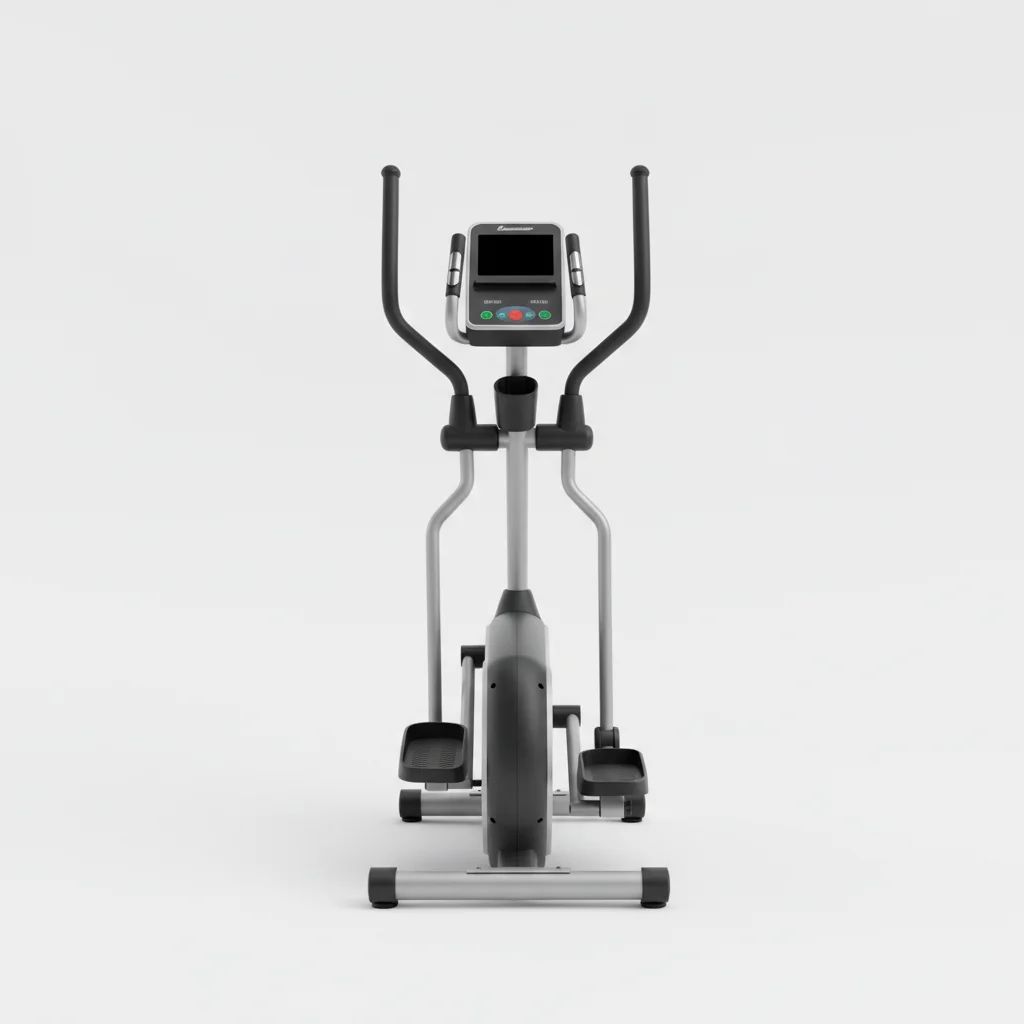
When your elliptical trainer display isn’t working, it can be frustrating, but many common issues can be resolved with five straightforward fixes. Often, the problem stems from loose connections, depleted batteries, or a simple software glitch that can be reset. Addressing these issues can get your console back up and running, allowing you to track your workouts effectively.
Check Power Connections and Batteries
The most frequent cause of a non-responsive elliptical display is a power issue. First, ensure the power adapter is securely plugged into both the wall outlet and the elliptical’s console port. If your elliptical uses batteries, check if they are correctly inserted and have sufficient charge. Replace old batteries with new ones, even if they seem partially functional, as low power can cause intermittent display problems. For models with a power cord, try plugging it into a different outlet to rule out a faulty wall socket.
Perform a Console Reset
Many elliptical trainers have a built-in reset function that can clear minor software glitches. Consult your owner’s manual for specific instructions, but a common method involves unplugging the machine for 10-15 minutes, then plugging it back in. Some models may have a dedicated reset button, often located near the battery compartment or on the back of the console. A hard reset can often resolve issues where the display is frozen or showing incorrect data.
Inspect Internal Wiring Connections
|
Our Picks for the Best Elliptical Trainer in 2026
As an Amazon Associate I earn from qualifying purchases.
|
||
| Num | Product | Action |
|---|---|---|
| 1 | Under Desk Elliptical Machine, Electric Ellipse Leg Exerciser for Senior, Quiet and Compact Electric Seated Pedal Exerciser for Home with Display Monitor, Remote Control and 12 Adjustable Speeds |

|
| 2 | Elliptical Exercise Machine for Apartments and Homes,8 Levels of Magnetic Resistance,15.5-inch Stride Elliptical Machine, and Supports Users up to 400 pounds Elliptical Training Machines; |
|
| 3 | Sunny Health & Fitness Cardio Climber Stepping Elliptical Exercise Machine for Home with 8 Levels of Magnetic Resistance, Performance Monitor, Full Body Workout |
|
| 4 | Under Desk Elliptical Machine, Electric Elliptical as Seen on TV for Seniors Adults with 15 Adjustable Speed, Quiet & Portable Electric Seated Pedal Exerciser with Remote Control & 5 Auto Mode |
|
| 5 | Cubii JR1, Under Desk Elliptical, Under Desk Bike Pedal Exerciser, Seated Elliptical, Work from Home Fitness, Mini Elliptical Machines for Home Use, Cubii Exerciser for Seniors, Desk Exercise |
|
| 6 | JLL Smart Mini Elliptical – Low-Impact Cardio, Quiet Magnetic Resistance (8 Levels), Compact for Home or Office, LCD Display, Bluetooth SunnyFit App Compatible |
|
| 7 | Under Desk Elliptical Machine, Electric Seated Pedal Exerciser, Min Leg Exerciser with Remoter, 12 Level Speeds, Forward & Reverse Direction, Manual & Auto Mode for Home Office |
|
| 8 | Under Desk Elliptical Machine, Electric Elliptical Leg Exerciser While Sitting for Seniors with Upgraded 15 Speeds & 12 Auto Mode, Forward & Reverse Direction, Quiet Portable Seated Pedal Exerciser |
|
| 9 | Under Desk Elliptical Machine, Upgraded 6 Adjustable Resistance &15 Speeds Electric Elliptical Leg Exerciser while Sitting for Seniors with Forward & Reverse Direction, Touch Screen and Remote Control |
|
| 10 | Under Desk Elliptical Machine, Electric Elliptical Leg Exerciser for Seniors Fully Assembled, Quiet & Portable Electric Seated Pedal Exerciser with Remote Control & 12 Adjustable Speeds |
|
Over time, or during assembly, internal wiring can become loose or disconnected. Carefully open the console casing, if accessible, and visually inspect all wire connections. Pay close attention to the ribbon cables that connect the display screen to the main circuit board. Gently press on each connector to ensure it’s seated firmly. If you notice any frayed or damaged wires, these may need professional repair or replacement. Always unplug the elliptical before opening any internal compartments.
Troubleshoot Sensor Issues
The elliptical’s display relies on sensors to track speed, distance, and heart rate. If the display is partially working but not showing workout metrics, a sensor might be faulty or misaligned. For speed and distance, check the magnetic sensor located near the flywheel. Ensure it’s clean and properly positioned to detect the flywheel’s rotation. Heart rate sensors on the handlebars should be clean and free of sweat or debris. If a specific sensor is consistently failing, it might need replacement.
Contact Manufacturer Support
If you’ve exhausted all troubleshooting steps and your elliptical display still isn’t working, it’s time to contact the manufacturer’s customer support. Provide them with your elliptical model number and a detailed description of the problem and the steps you’ve already taken. They may offer further diagnostic steps, provide replacement parts, or recommend a certified technician. Many manufacturers offer warranty coverage for console issues, so have your purchase information ready.
- Ensure all power cables are firmly connected.
- Replace console batteries with fresh ones.
- Perform a hard reset by unplugging the unit.
- Check internal ribbon cables for secure connections.
- Clean and inspect all workout tracking sensors.
By systematically working through these five common fixes, you can often restore your elliptical trainer’s display functionality. Regular maintenance, including checking connections and replacing batteries, can prevent many of these issues from occurring in the first place. A working display is crucial for monitoring progress and staying motivated during your fitness journey.
