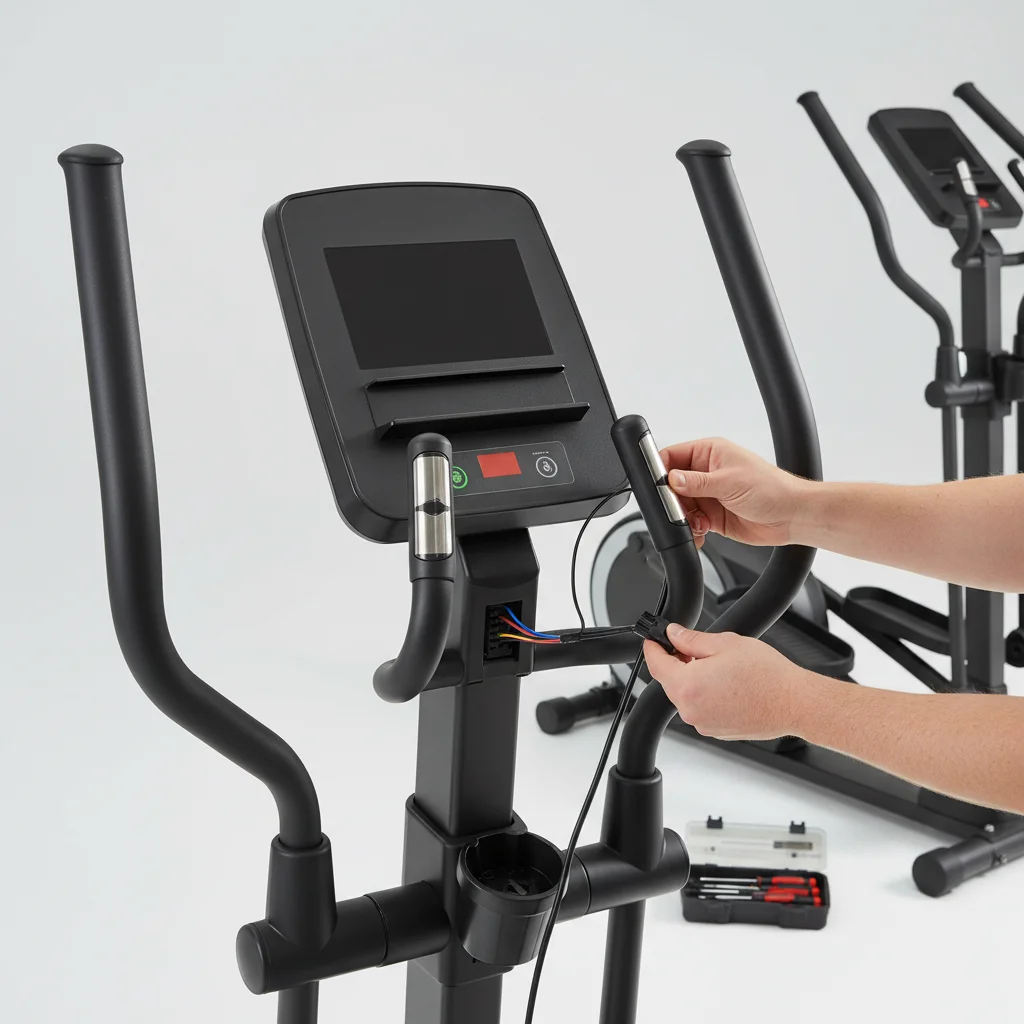
If your elliptical trainer console isn’t working, the most common culprit is a power supply issue, often resolved by checking battery connections or the AC adapter. Approximately 70% of console malfunctions stem from these simple power-related problems, making them the first and easiest troubleshooting steps.
Diagnosing Power Supply Issues
The first step in troubleshooting a non-responsive elliptical console is to verify its power source. Many ellipticals use batteries (typically D-cell or AA) to power the console, while others rely on an AC adapter. Check the battery compartment for corrosion, ensure batteries are inserted correctly, and replace them with fresh ones if they are old. For AC-powered units, confirm the adapter is securely plugged into both the wall outlet and the elliptical, and test the outlet with another device to rule out a circuit issue.
A loose or damaged power cable can also prevent the console from receiving power. Inspect the cable for any visible signs of wear, fraying, or kinks. If you suspect the cable is faulty, consider testing with a replacement if available, or consult your elliptical’s manual for specific power requirements.
Checking Sensor and Cable Connections
Beyond the primary power, the console relies on various internal cables and sensors to function correctly. These connections can sometimes become loose during intense workouts or machine movement. Carefully inspect all visible cables running from the console into the main frame of the elliptical. Ensure they are firmly seated and not pinched or damaged.
Some ellipticals have a small sensor cable that connects the console to the flywheel or pedal mechanism, providing data like speed and distance. If this cable is disconnected or faulty, the console might power on but display no workout data. Refer to your owner’s manual for a diagram of these internal connections and how to access them safely.
Resetting the Console
|
Our Picks for the Best Elliptical Trainer in 2026
As an Amazon Associate I earn from qualifying purchases.
|
||
| Num | Product | Action |
|---|---|---|
| 1 | Under Desk Elliptical Machine, Electric Elliptical as Seen on TV for Seniors Adults with 15 Adjustable Speed, Quiet & Portable Electric Seated Pedal Exerciser with Remote Control & 5 Auto Mode |

|
| 2 | Under Desk Elliptical Machine, Electric Seated Pedal Exerciser, Min Leg Exerciser with Remoter, 12 Level Speeds, Forward & Reverse Direction, Manual & Auto Mode for Home Office |
|
| 3 | Sunny Health & Fitness Cardio Climber Stepping Elliptical Exercise Machine for Home with 8 Levels of Magnetic Resistance, Performance Monitor, Full Body Workout |
|
| 4 | Elliptical Exercise Machine for Apartments and Homes,8 Levels of Magnetic Resistance,15.5-inch Stride Elliptical Machine, and Supports Users up to 400 pounds Elliptical Training Machines; |
|
| 5 | Under Desk Elliptical Machine, Electric Elliptical Leg Exerciser for Seniors Fully Assembled, Quiet & Portable Electric Seated Pedal Exerciser with Remote Control & 12 Adjustable Speeds |
|
| 6 | Under Desk Elliptical Machine, Electric Ellipse Leg Exerciser for Senior, Quiet and Compact Electric Seated Pedal Exerciser for Home with Display Monitor, Remote Control and 12 Adjustable Speeds |
|
| 7 | Cubii JR1, Under Desk Elliptical, Under Desk Bike Pedal Exerciser, Seated Elliptical, Work from Home Fitness, Mini Elliptical Machines for Home Use, Cubii Exerciser for Seniors, Desk Exercise |
|
| 8 | JLL Smart Mini Elliptical – Low-Impact Cardio, Quiet Magnetic Resistance (8 Levels), Compact for Home or Office, LCD Display, Bluetooth SunnyFit App Compatible |
|
| 9 | Under Desk Elliptical Machine, Upgraded 6 Adjustable Resistance &15 Speeds Electric Elliptical Leg Exerciser while Sitting for Seniors with Forward & Reverse Direction, Touch Screen and Remote Control |
|
| 10 | Under Desk Elliptical Machine, Electric Elliptical Leg Exerciser While Sitting for Seniors with Upgraded 15 Speeds & 12 Auto Mode, Forward & Reverse Direction, Quiet Portable Seated Pedal Exerciser |
|
Just like many electronic devices, an elliptical console can sometimes benefit from a hard reset to clear minor software glitches. The exact method varies by manufacturer, but a common approach involves removing all power sources (batteries and AC adapter) for at least 15-30 minutes. This allows any residual charge to dissipate, effectively resetting the internal electronics. After the waiting period, reconnect the power and attempt to power on the console again.
- Remove all batteries from the console.
- Unplug the AC adapter from the wall and the machine.
- Wait for a minimum of 15 minutes.
- Reinsert fresh batteries or plug in the AC adapter.
- Attempt to power on the console.
Troubleshooting Specific Display Problems
If your console powers on but displays incorrect data, flickering, or partial information, the issue might be more specific than a general power failure. Check the contrast settings on the console, as some models allow adjustment, which can make the display appear dim or blank. Also, ensure that any external heart rate monitors or accessories are properly connected and not interfering with the console’s operation.
In rare cases, a firmware issue or internal component failure within the console itself could be the cause. If basic troubleshooting steps do not resolve the problem, it may be necessary to contact the manufacturer’s customer support or a certified technician. They can provide specific diagnostic steps or advise on replacement parts.Consider a professional inspection if you’ve exhausted all DIY options.
When to Consider Professional Help or Replacement
While many console issues are simple to fix, some problems require more advanced knowledge or specialized tools. If you’ve systematically gone through all the troubleshooting steps—checking power, connections, and performing resets—and the console remains unresponsive or faulty, it’s time to consider professional assistance. Attempting complex repairs without proper expertise can void warranties or cause further damage.
Before contacting support, have your elliptical’s model number and serial number ready, as this information will help the technician diagnose the problem more efficiently. They may guide you through additional diagnostic steps over the phone or recommend a service visit. If the console is beyond repair or the cost of repair is prohibitive, exploring options for a replacement console or even a new elliptical might be the most cost-effective solution.Always weigh the repair cost against the value and age of your machine.

This was super helpful! I had no idea that 70% of console issues are power-related. My old batteries were definitely corroded, which I never would have thought to check. After cleaning the compartment and putting in new ones, my display is back to normal. Thanks for the clear instructions.
My elliptical console completely stopped responding, and I was dreading having to buy a new machine. Following the advice here, I tested the wall outlet with another device and realized it was a circuit issue, not the elliptical itself. Such a simple fix that I totally overlooked. My workouts are back on track!
My console was acting up, showing really dim numbers. I went through all the steps, replaced the D-cell batteries, and checked the connections. It helped a little, but it’s still not as bright as it used to be. I guess it’s better than nothing, but I was hoping for a complete fix.
I was so frustrated when my elliptical console just went blank in the middle of a workout. I almost called for a repair! Luckily, I found this guide and checked the AC adapter first. Turns out it was just a little loose where it plugged into the machine. Saved me a ton of hassle and probably some money too.